Real Estate CRM Automation: How to Build a Lead Follow-Up System That Runs Itself
By Will Rapuano | Velocity Builders|
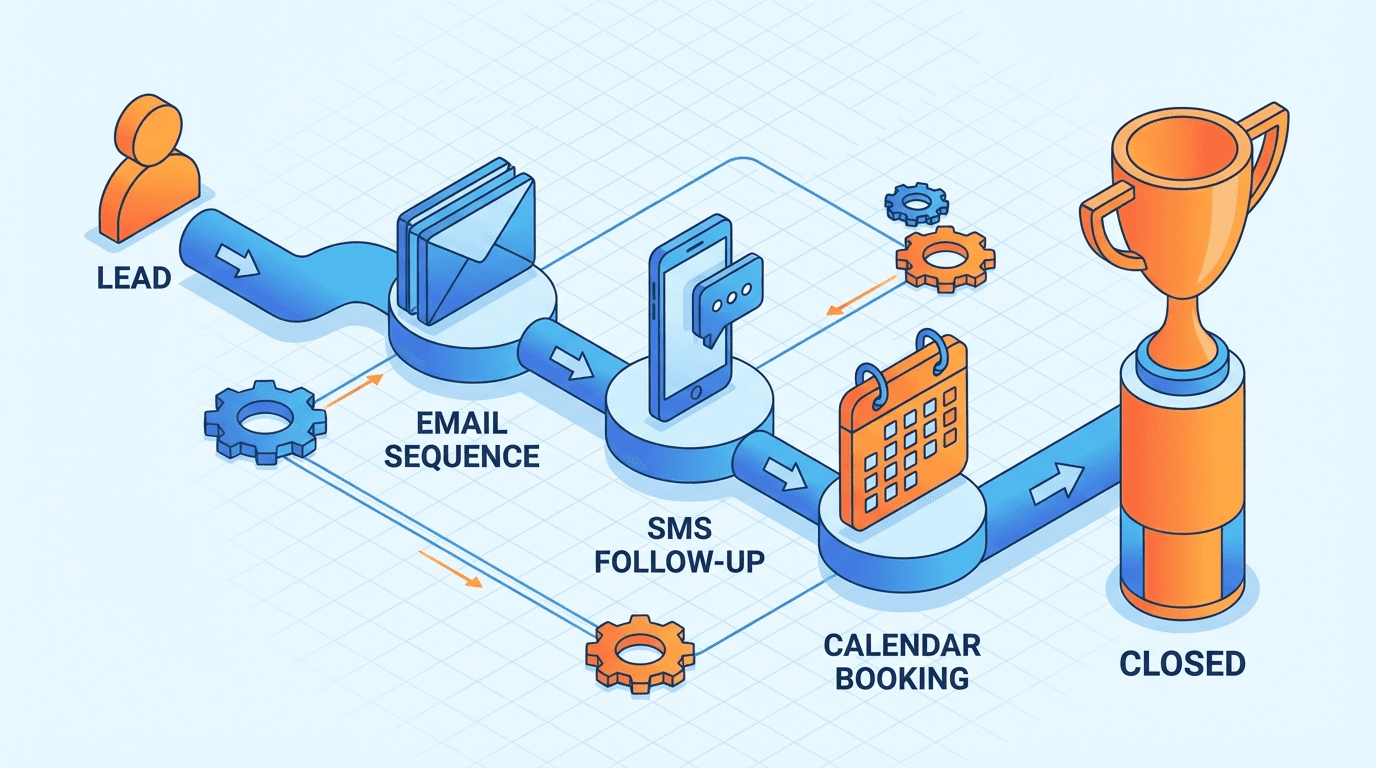
Most real estate agents are losing business they don't even know they're losing.
A lead comes in at 9 PM on a Tuesday. The agent is at dinner. They think, "I'll call tomorrow morning." By 9 AM, that lead has already heard back from two other agents — one of whom was an AI-powered CRM that responded within 90 seconds with a personalized message, a listing match, and a calendar link.
This isn't a hypothetical. It's Tuesday.
The research on lead response time is brutal: the odds of qualifying a lead drop by 21 times if you wait 30 minutes versus 5 minutes. Most agents respond in hours, if at all. The agents running CRM automation are responding in seconds.
Here's how to build a follow-up system that doesn't need you to be awake.
What Real Estate CRM Automation Actually Means
Let's be precise about what we're talking about, because "CRM automation" gets used to describe everything from a basic email drip to a full AI-driven conversation engine.
At its core, real estate CRM automation is the practice of using your CRM to trigger specific actions — emails, texts, task reminders, pipeline stage changes — based on lead behavior or time elapsed, without you lifting a finger.
The spectrum looks like this:
Level 1 — Basic drip: Pre-written email sequences that send on a schedule. Lead signs up → receives email 1 immediately, email 2 in 3 days, email 3 in 7 days. Set it and mostly forget it.
Level 2 — Behavioral triggers: Actions based on what the lead does. They open an email → get a follow-up text. They click a listing link → get a same-day call task assigned to you. They visit a specific neighborhood page three times → enter a "hot lead" sequence.
Level 3 — AI-assisted engagement: The CRM uses AI to generate personalized messages, respond to inbound texts, score leads based on behavior patterns, and route them to the right sequence automatically.
Most agents are stuck at Level 0 — no automation at all. Getting to Level 1 is a weekend project. Getting to Level 2 takes a solid afternoon. Level 3 requires either the right platform or some technical setup, but it's increasingly accessible.
Why Manual Follow-Up Is a Strategy for Losing
Before we get into the how, let's be honest about what's at stake.
The average real estate agent has somewhere between 50 and 500 leads in their database right now who have gone cold — not because they weren't interested, but because the agent stopped reaching out. Life got busy. The hot new listing took priority. The quarterly newsletter felt like enough.
Meanwhile, those leads are still going to buy or sell. They're just going to do it with someone else.
The math is unforgiving:
- 91% of leads never convert if not followed up with within 48 hours (LeadSimple industry data)
- Agents need an average of 8 touches before a lead converts — most stop at 2
- 70% of buyers and sellers choose the first agent who responds
This isn't a motivation problem. Agents aren't lazy — they're busy. The solution isn't to try harder manually. The solution is to automate what a computer can do so you can focus on what only a human can do: build trust, read a room, negotiate.
The Four Automation Workflows Every Agent Needs
1. Instant Lead Response (The One That Pays for Everything)
The moment a lead submits a form — on your website, from Zillow, from Facebook Ads, anywhere — they need to hear from you within 5 minutes. Not a form confirmation email. An actual personalized message that acknowledges what they're looking for.
How to build it:
In your CRM (Follow Up Boss, Sierra, CINC, GoHighLevel, etc.), create a trigger: when a new lead is created → send an immediate text and email.
The text should be short and feel human:
> "Hey [First Name] — just saw your inquiry about homes in [area]. Quick question: are you looking to buy in the next 3-6 months, or are you more in the research stage? Either way, I can send you what's actually available (MLS moves fast). — [Your Name]"
The email can be longer — introduce yourself, include 2-3 relevant listings, share your local expertise, set expectations for follow-up.
Pro move: Set a task in the CRM for a call attempt 10 minutes after the text sends. If they respond to the text, you'll know before you call.
2. The 30-Day Nurture Sequence (For Leads Who Aren't Ready Yet)
The majority of leads are 3-6 months from actually transacting. They're not going to buy this week. But they "will" buy — and the agent who stays in front of them with genuinely useful information will win when they're ready.
Build a 30-day sequence with 8-10 touchpoints:
| Day | Channel | Content |
|---|---|---|
| 1 | Text | Personal intro, ask timeline question |
| 2 | 3 curated listings matching their criteria | |
| 4 | Market snapshot for their target area | |
| 7 | Text | Check-in, offer to answer questions |
| 10 | Neighborhood guide for their area of interest | |
| 14 | Buyer/seller educational content | |
| 21 | Text | Low-key check-in ("still thinking about [area]?") |
| 30 | Market update + soft CTA for a call |
This isn't spamming. It's showing up with value on a cadence that keeps you top of mind.
Key: Every message should feel like it could have been written to this specific person. Personalization fields ([First Name], [area], [price range]) are the minimum. The best sequences feel like they know the lead.
3. Past Client Reactivation (The Easiest Referrals You're Not Getting)
Your closed clients are your best source of repeat business and referrals. Most agents send a holiday card and call it a year.
Build an automated past-client touchpoint sequence:
- Annual home anniversary email: "Congrats — it's been [X] years in your home at [address]. Here's what your neighborhood looks like now." Include a quick equity estimate.
- Quarterly market update: Hyperlocal stats for their specific area. Three paragraphs, one link to a deeper post.
- Birthday text: Simple. "Happy birthday [First Name]! Hope you're loving the house." Two lines. Nobody else sends this.
- Referral ask (at 6 months post-close): "Settling in well? If you know anyone thinking about buying or selling, I'd love the introduction."
Most CRMs can automate all of this based on close date, birthday (if you have it), and address. Set it up once, then forget it — except when someone replies.
4. Behavioral Lead Scoring (Know Who's Hot Before They Tell You)
This is where Level 2 automation pays off disproportionately.
Set up your CRM to track engagement and score leads:
- Email opens: +2 points per open
- Link clicks: +5 points per click
- Listing views (3+ in one session): +10 points
- Price range searches on your site: +8 points
- Return visit within 48 hours: +15 points
When a lead crosses a score threshold (e.g., 30 points in 7 days), trigger an alert to you and move them into a "hot" follow-up sequence with daily touchpoints.
This turns your passive database into an active signal feed. Instead of guessing who to call today, your CRM tells you.
Which CRMs Actually Support This
Not all CRMs handle automation equally. Here's the honest breakdown for real estate:
Follow Up Boss — The gold standard for real estate teams. Excellent behavioral automations, integrates with almost every lead source, strong texting. Best for teams doing $2M+ GCI.
Sierra Interactive — Strong automation + built-in IDX website. Lead scoring is baked in. Better for mid-to-large teams who want everything in one platform.
GoHighLevel (GHL) — The power user option. Extremely deep automation, AI conversation features, SMS marketing, funnels. Steep learning curve but the ceiling is high. Velocity Builders builds on GHL for clients who want the full stack.
CINC — Built-in PPC + CRM automation. Strong for teams running their own lead gen. Less flexible for custom automations.
Lofty (formerly Chime) — Solid mid-market option. Good AI lead scoring, decent automations, lower cost than Sierra.
kvCORE — Common in brokerages. Functional automation but the interface is dated. Use what your brokerage provides if it's kvCORE — just learn the automation features.
The baseline question: Can it trigger automated emails and texts based on lead behavior (not just time delays)? If yes, you can build Level 2. If it's only time-based, you're at Level 1 max.
The AI Layer: What's Actually Worth Using
In 2026, most real estate CRMs are bolting AI features onto their platforms. Some are genuinely useful. Some are marketing.
Actually useful AI CRM features:
- AI response drafts: When a lead texts you, the CRM suggests a reply. You approve and send in one tap. Cuts response time dramatically without losing the human touch.
- Lead intent scoring: AI analyzes email opens, website behavior, and message content to predict when a lead is moving from "browsing" to "ready." Sierra and CINC both do versions of this.
- Conversation intelligence: Some platforms (Follow Up Boss with its AI add-ons, some GHL setups) can analyze call recordings and flag leads who mentioned timeline or motivation cues.
- Automated listing alerts: Not strictly AI, but essential — leads who have active saved searches and receive automated listing alerts convert at 4x the rate of leads who don't.
Skip (for now):
ℹ️ Skip (for now)
- —AI that writes your blog posts and pushes them as your content — it reads like AI, your clients know, it kills trust
- —AI that handles the full initial lead conversation without human review — it will say the wrong thing to the right lead
- —Any "AI assistant" that costs more than your CRM subscription and can't show you a case study from a comparable agent
Setting It Up: The 80/20 Version
If you want to go from zero automation to a functional system in a weekend, here's the sequence:
Saturday morning (2 hours):
1. Audit your CRM — is everything tagged correctly? Are leads in the right pipeline stages?
2. Write your instant response text and email templates
3. Set up the instant response trigger
Saturday afternoon (3 hours):
4. Write your 30-day nurture sequence (8 emails + 4 texts)
5. Configure the sequence in your CRM
6. Test it on yourself — sign up as a fake lead and watch it fire
Sunday (2 hours):
7. Pull your past client list and set up the annual anniversary email
8. Set up the quarterly market update template (you can send manually to start, then automate)
9. Build your lead scoring rules
When you're done, you have a system that responds to every new lead in seconds, nurtures them for 30 days, and alerts you when they're ready to talk.
That's not a side project. That's a business asset.
The One Thing Automation Can't Replace
All of this — the triggers, the sequences, the scoring — exists to get you to the conversation faster, not to replace the conversation.
The agents who win with CRM automation are the ones who use it to eliminate the mechanical work so they can show up fully for the human work. The 90-second AI text response gets them to the phone call. The lead scoring tells them who to call today. The 30-day sequence keeps them in front of cold leads until they're warm.
The call itself, the showing, the negotiation, the moment when someone trusts you with the biggest financial decision of their life — that's still you.
Automate the system. Show up for the people.
Frequently Asked Questions
Velocity Builders helps real estate agents, lenders, and brokerages build websites and marketing systems that generate and convert leads automatically.
Will Rapuano
Founder, Velocity Builders LLC. Business Development Officer at Pruitt Title. Helping real estate agents and loan officers scale with better marketing systems.
Book a 20-Minute Growth Blueprint
See where your lead handoff and follow-up are leaking deals, then fix the right things first.
Book a 20-Minute Growth Blueprint